This is a follow-up to my previous post about the iPad Pro screen-estate. I would like to show you the difference in the bigger screen with an analysis tool. Yes, I said that correctly. I have been using my iPad to do some coding (sort of). Take another look at the setup with the 11” iPad Pro:
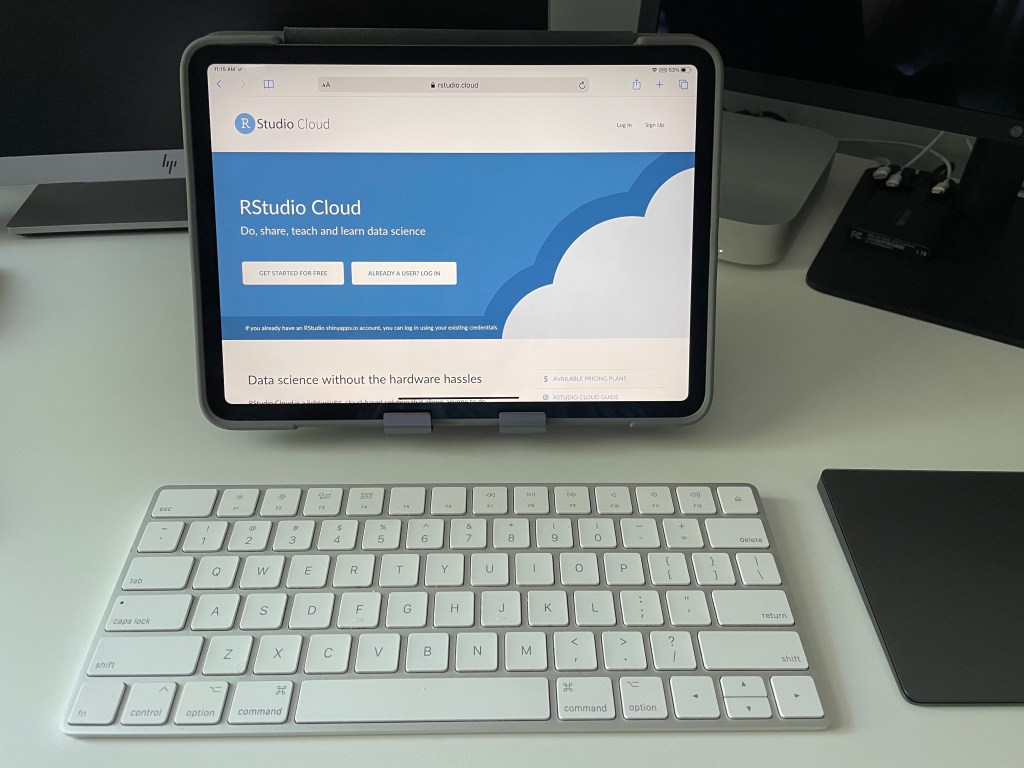
It works well enough (hoping for better external monitor support). I will go into the trackpad more later. Having the flexible stand along with a durable case and keyboard completes a combination setup. Having a way to analyze data sets while relaxing in a recliner is a welcome plus. It may not be an all-in-one laptop, but there are plenty of times I only want to use the iPadOS interface.
Before going further, let me mention how it has been to live with the bigger device. My first reaction after the screen size excitement calmed down is with bulk. There is a certain encumberment factor that can be noticeable when using the device away from a desk.
The 11” iPad Pro is actually better in this regard. This is due to it being easier to hold up and type. The 12.9” device is a bit too much to hold with one hand using the other for typing. An example of this is sitting on the couch or in a nice, comfy chair. I must prop it up off to the side or use a pillow to get the screen justified to my liking. That can get annoying with long sessions.
There is the weight factor here too. Surprisingly, that little bit of extra weight along with the additional height/width causes some discomfort over time. I guess I better get into the weight room more.
With that said, everything else is better with the larger device. Playing games, writing documents, video editing, and even some coding is made better due to the screen-estate. The video game experience is very nice. Although, I do not think many games are pushing the M1 chip very far. I believe this device will last for a long while before needing an upgrade.
Getting to that programming feature, it’s more about screen-estate again. What I have been using are cloud-based services for R and Python coding. RStudio has its cloud-based service, and it is good (albeit expensive past the base version). Google has Colab which I think is a great take on Jupyter. I might write something about both in a future article. For now, I’ll show you what RStudio Cloud looks like on my iPads.
Using an iPad for RStudio Cloud takes some getting used to. The Cloud-based environment has some quirks, and you may find yourself reaching for a mouse for fine tuning. I will say do not get discouraged at this point. If you do not want to carry around a laptop, it is a good way to get some coding done.
Here are a couple of screen grabs of RStudio Cloud on the 11” iPad Pro:


Note that the side panels can be moved for extra space. If you want to do that, I recommend a mouse/trackpad be added to your config (note: it is rare that I recommend anything other than touch for an iPad). Sliding the panel separators around can be challenging with touch.
Now, compare the 11” to a 12.9” iPad Pro:
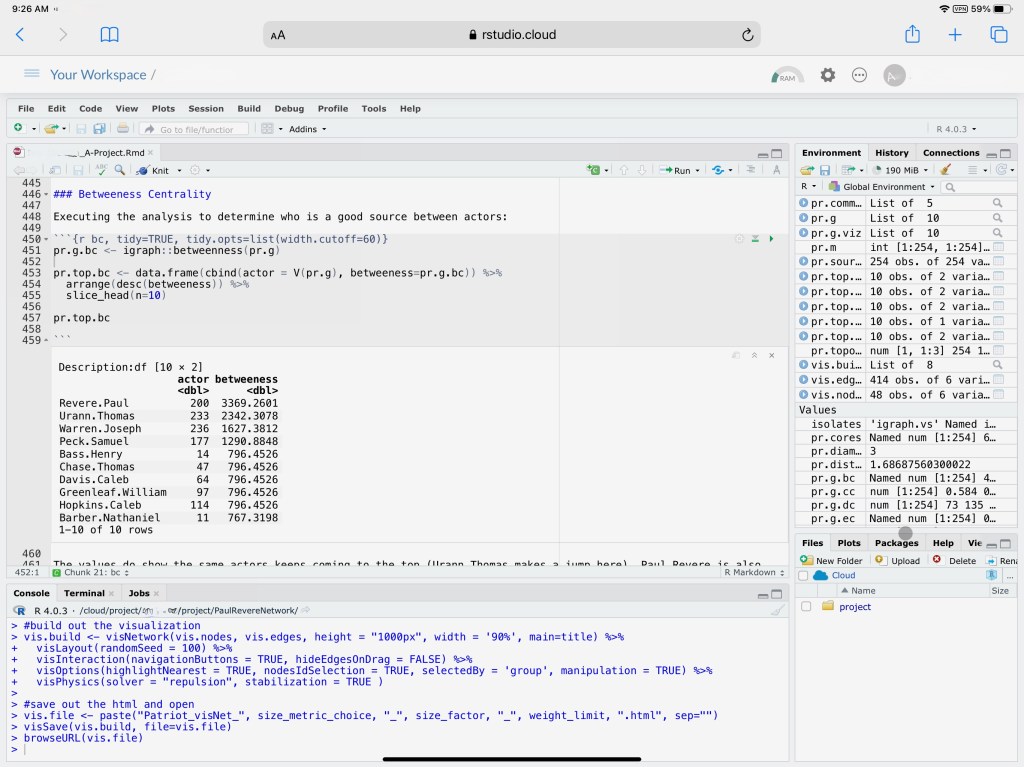
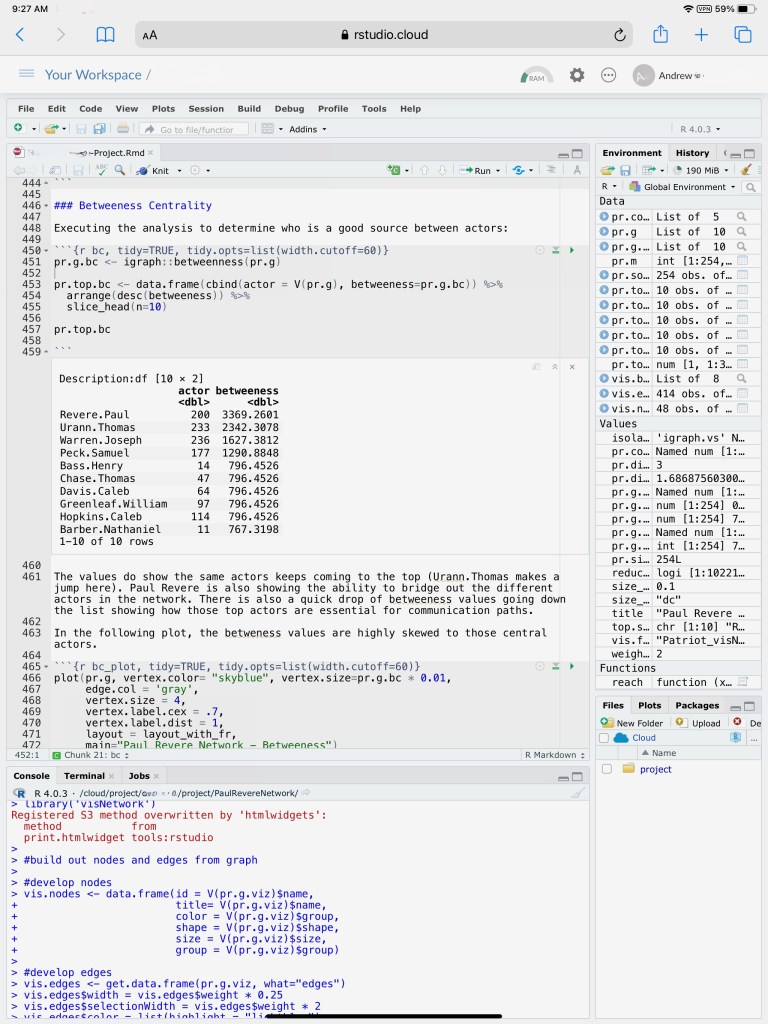
The difference is very noticeable! I do not believe there would be much of an argument over that point. What could be argued is whether or not it is worth the cost over the 11” (or even a MacBook Air). That topic is a difficult and challenging one. For me, it comes down to the user experience. For my use in productivity, I am getting a benefit with the larger screen. Cost is concerning but the 11” version has good trade-in value. This makes it a bit easier on the wallet.
One final note about cost. If that is an issue and you are going to use cloud-based services, there is little reason why you cannot look at an iPad Air (I have one of those as well). It is so close to 11” I would call it negligible. In comparison to the other devices, the weight of the Air is a big plus. It is very portable and plays games quite well. Once again, do you need that screen-estate?
As always, I hope this provided a different view of a use case for technology. An iPad for coding certainly is unique but having that extra bit of screen-estate makes it a worthy addition to the technologist’s toolbelt.
Thank you and have a nice day!
 Andy’s Neural Works
You must be logged in to post a comment.