Introduction – Space is not infinite!
For years, I’ve been working on a MacBook Air that has 512GB of disk space. At first, this seemed like a “right fit” for storage space and cost. Quickly, I began to reach issues with filling it up.
I did have a Samsung 1TB SSD that performed admirably for years prior. I would use that for multimedia storage as well as archiving previous projects. Unfortunately, I was filling that up too. What should I do now?
At first, the iCloud was providing some relief to the issue. It did not provide the performance needed for some projects. Also, I find that some of the software I use did not work well with the iCloud. Eventually, the iCloud became a place where I would share files amongst my other devices.
It’s time to actually do something about storage without buying a new laptop. Even though the latest chipsets are fantastic, I am pleasantly surprised with how the M1 with 16GB RAM has been performing. I do not want to dive into a new laptop or desktop just yet.
Hardware Decisions
What are my options when it comes to an external drive? There are many. I could go and upgrade the Samsung SSD to something more modern. It worked well for years but maybe there is an even better option.
After researching many sites, I feel that a NVMe drive1 would be best. The price point is nice given the performance. The only hurdle would be that I would need to get an enclosure to support the drive. That requires more research! What fun to spend many hours pouring over specifications and prices.
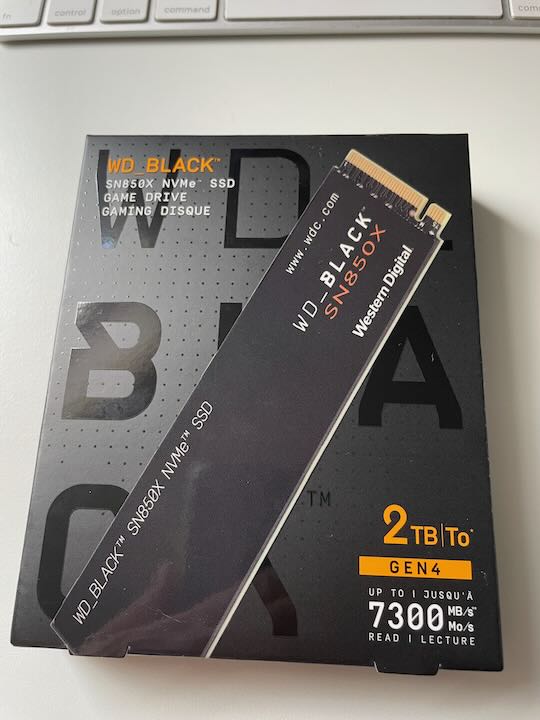
There are many, many options to pick from with the NVMe drive. One feature I wanted is to have a drive with known performance. The drive that stood out for me is the Western Digital SN850X 2TB2. This is listed as a “Game Drive.” Gamers tend to be very picky about things like latency and bandwidth. Since this drive is recommended by various system review sites (at the time of writing, Tom’s Hardware is one) and the price met my budget, I picked it up.
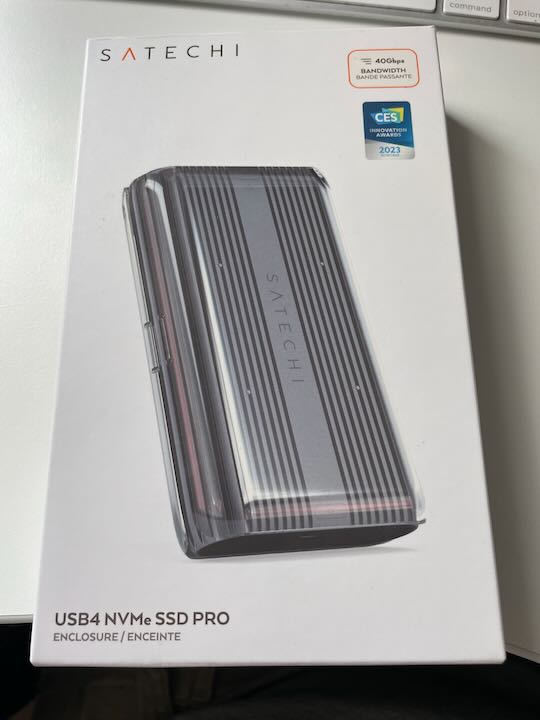
For the enclosure, I went with the Satechi USB4 NVMe SSD Pro Enclosure (ST-EU4NPM)3. The promise of USB4 performance is welcome. For note, the MacBook Air M1 supports USB4. It should have a limit of 40Gb/s. I don’t expect real results in that range, but I’d be ecstatic if it did perform so highly.
Construction
With everything picked out and purchased, let’s put it all together!
This is an easy process that anyone can accomplish. As always, discharge any static charge before handling the parts.
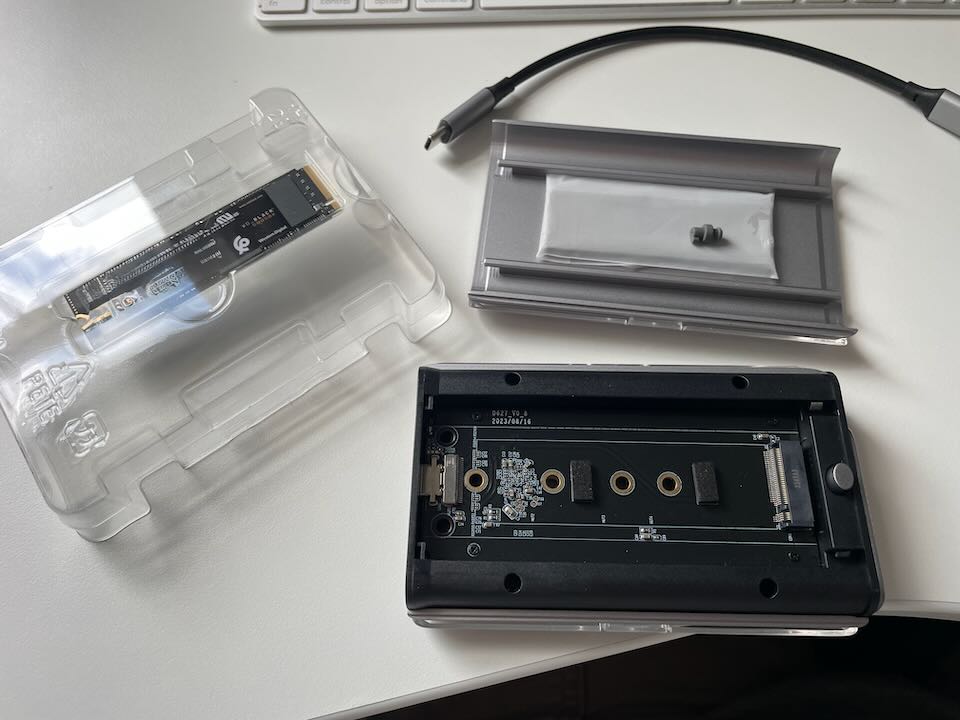
The enclosure opens up without screws. As you can see, it comes with the necessary cable as well as a heat sink.
The drive is placed in the enclosure as shown here. Note the tab that holds it into place. Make sure it is securely locked.
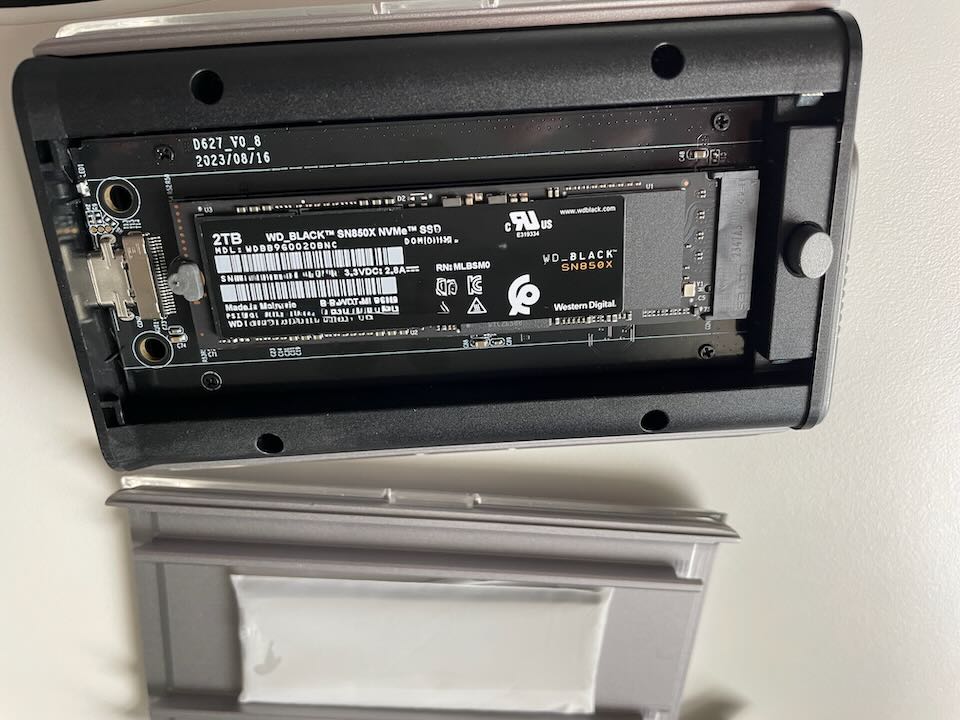
The heat sink is placed on with included adhesive side. The cover does not put pressure on the drive with the heat sink in place.
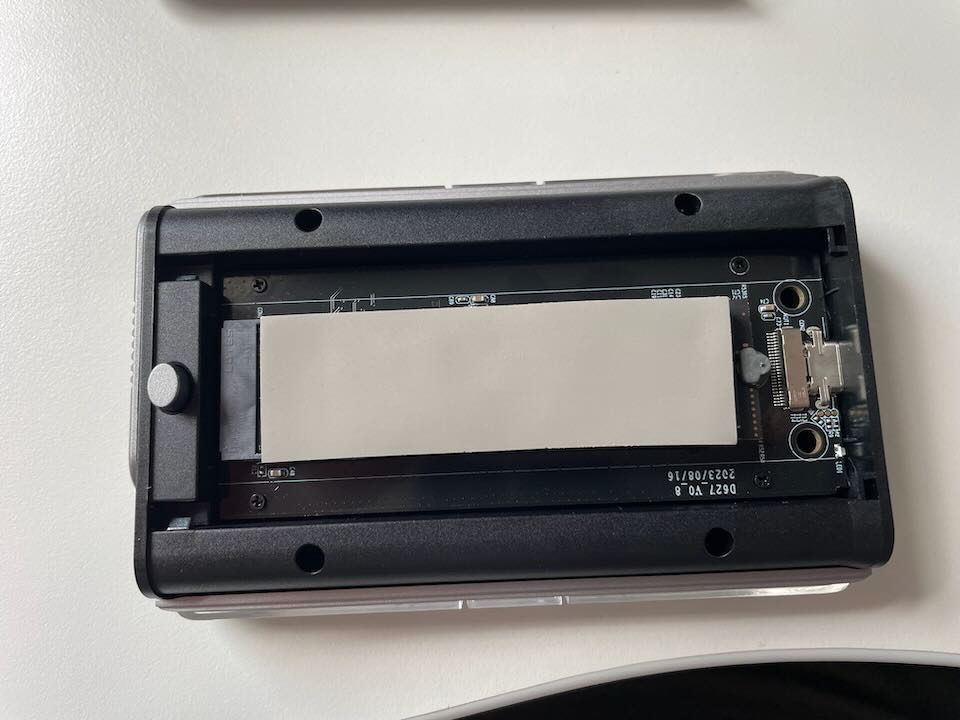
That is about it. This is a simple build process.

Connecting to the MBA with included cabling worked as expected. Formatting the drive to encrypted APFS was straightforward and easy using the Disk Utility in MacOS. Using Finder, I confirmed that the drive is available.
Testing it out
I’m curious now to see how well it performs. This is an external drive so it should not be as fast as the internal drive. Let’s run some speed tests to confirm.
I used the Blackmagic Utility4 to see the results of the drive’s performance:
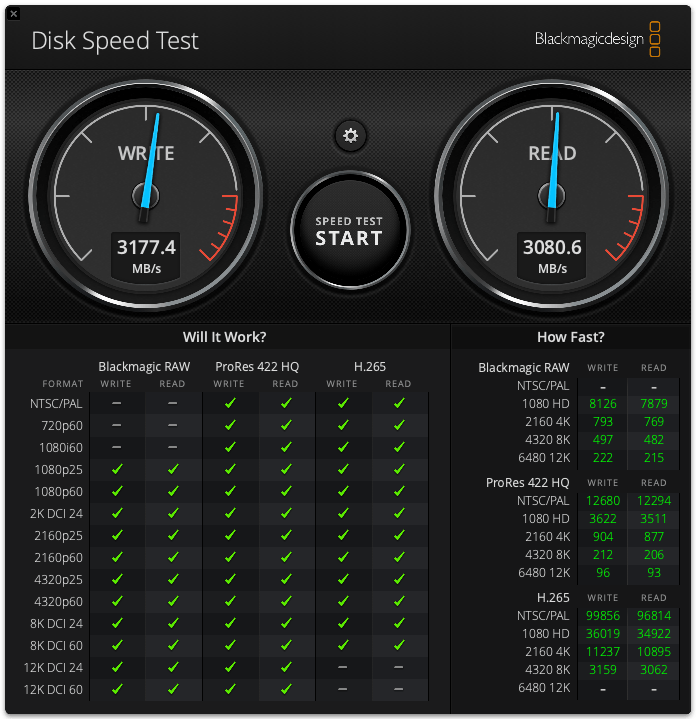
Translating to Gb/s, we see the following:
- Write: 25.4192 Gb/s
- Read: 24.6448 Gb/s
It’s not 40Gb/s but I consider that very happy results! Now, let’s compare to the internal drive:
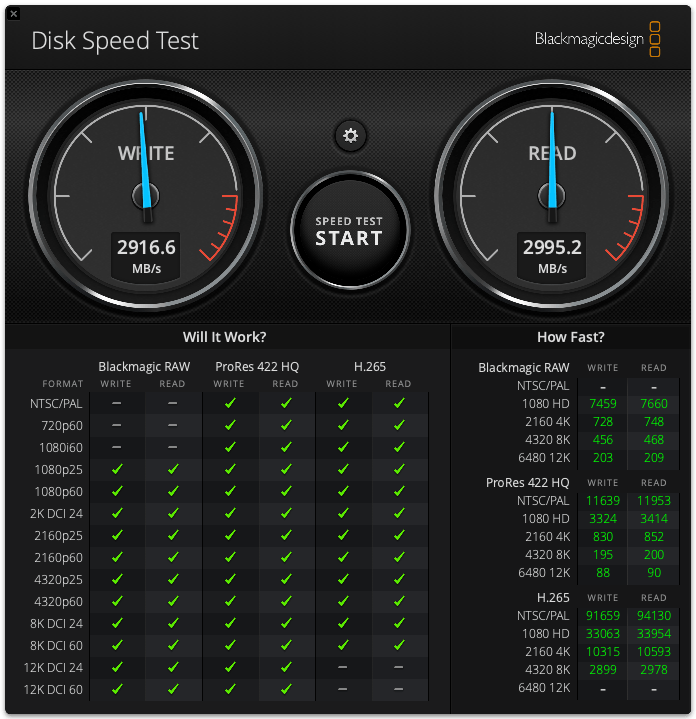
- Write: 23.3328 Gb/s
- Read: 23.9616 Gb/s
That seems to show the internal drive is slightly slower and that surprises me! There might be other factors at play here that are not being considered. What I will conclude is that the drives are about equal in performance.
Do I like it?
I have been using the drive for a few weeks as the time of this article. I have used it for development as well as for data processing without noticing any issues. The process and cost is worth it for the additional storage space. There is plenty of real estate on this drive for my needs. It is an easy win.
I’ll note that there is noticeable heat on the device. So far, it is not something to be concerned about. If you do purchase a similar configuration, be sure to provide some space above the enclosure for heat dissipation.
Thank you
References
[1] IBM. What is NVMe? Retrieved from: https://www.ibm.com/think/topics/nvme#:~:text=NVMe (non-volatile memory express,-state drives (SSDs).
[2] Western Digital. WD_BLACK SN850X NVMe™ SSD – 2TB. Retrieved from: https://www.westerndigital.com/en-in/products/internal-drives/wd-black-sn850x-nvme-ssd?sku=WDS200T2X0E
[3] Satechi. USB4 NVMe SSD Pro Enclosure. Retrieved from: https://satechi.net/products/usb4-nvme-ssd-pro-enclosure/Z2lkOi8vc2hvcGlmeS9Qcm9kdWN0VmFyaWFudC80MDE4ODQ3MDA2NzI4OA==?queryID=957597e6a2a0ccc421ea389fb07fa43e
[4] Blackmagic Design. Retrieved from: https://www.blackmagicdesign.com
 Andy’s Neural Works
You must be logged in to post a comment.